
Think hitting 'delete' on your old files is enough? Think again. Proper disposal of hard drives is a vital security measure, not just an IT chore. Those discarded devices are often treasure troves of recoverable personal and business information, leaving you exposed to data breaches long after you’ve said goodbye to the hardware.
The Hidden Risks in Your Old Hard Drives
That old laptop gathering dust in your Bristol office or the retired desktop in your Bath home isn't just clutter. It's a ticking time bomb for data thieves. It’s a common misconception that deleting files or even reformatting a drive wipes it clean. The reality is far more unsettling.
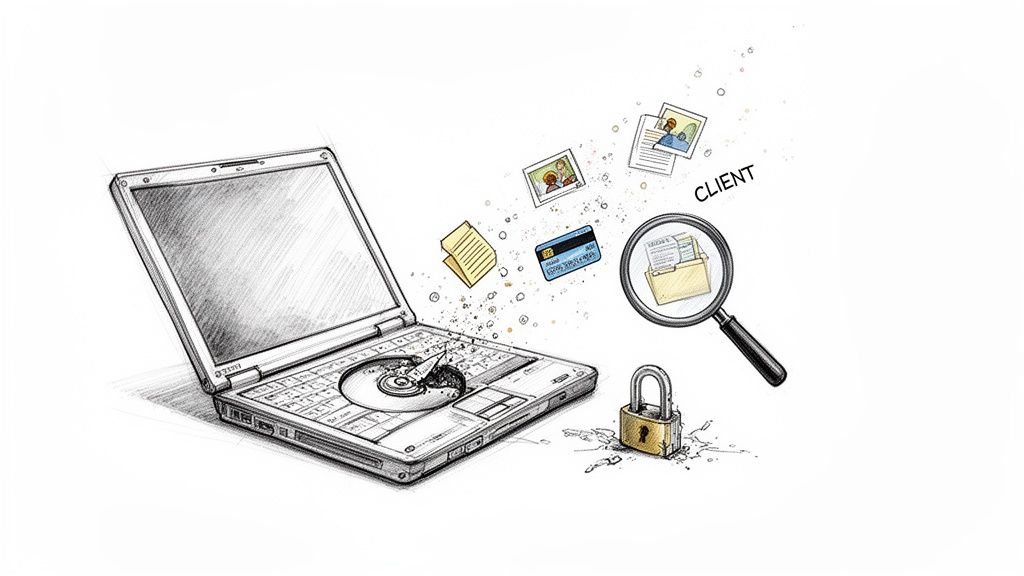
When you delete a file, you're not actually erasing it. You're just telling the operating system it can write over that space eventually. The actual data—the ones and zeros—can linger on the drive's magnetic platters or flash memory cells for a surprisingly long time.
In fact, with the right software, it's alarmingly simple to learn how to recover deleted files. This is precisely why just chucking an old drive in the bin is such a massive risk.
Real-World Consequences of Negligence
The fallout from failing to properly destroy data isn't just a hypothetical problem. Picture a small business tossing out an old office server during an upgrade. That server could easily contain years of sensitive information:
- Client information, like names, addresses, and phone numbers.
- Financial records, including invoices, payroll details, and bank statements.
- Employee data, with national insurance numbers and other personal records.
A single drive pulled from a skip could unleash a wave of identity theft, financial fraud, and cause catastrophic reputational damage. For an individual, that old drive could hold a lifetime of personal photos, private emails, and saved passwords for everything from online banking to social media.
Throwing away a hard drive without properly destroying the data is like leaving your filing cabinet unlocked on the pavement. You wouldn't risk your physical documents that way, and your digital files deserve the same level of security.
Shifting Your Perspective on E-Waste
It's time to stop seeing old electronics as junk and start viewing them for what they are: secure containers holding your data. Every single device with a storage drive—laptops, servers, even printers and copiers—needs a proper end-of-life plan.
This change in mindset is the first, most crucial step in protecting yourself or your business from a data breach that was entirely preventable. Secure disposal isn't an afterthought; it’s a non-negotiable part of responsible data management.
Preparing Your Drives for Secure Disposal
Before you even get to the satisfying part—be it wiping software or a shredder—a bit of prep work is essential. Getting your hard drives ready for disposal isn't just a box-ticking exercise; it's the foundation of the entire process. This is where you prevent accidental data loss and make sure you're covering your compliance bases from the start.
It’s tempting to jump straight to the end, but rushing this stage is a classic mistake. You either end up losing something you meant to keep or, worse, a drive containing sensitive info goes untracked. A few minutes of organisation now can save you a world of pain later on.
Create a Drive Inventory
First things first: you need to know exactly what you're dealing with. For a business, this is a non-negotiable step for compliance. For an individual, it's the best way to ensure that one old drive full of personal photos doesn't slip through the net.
Put together a simple inventory. This doesn't need to be a complex database; a basic spreadsheet will do the trick. The goal is to track every single device you plan to get rid of.
What should you note down?
- Device Type: Is it a desktop PC, a laptop, an external drive, or something from a server rack?
- Serial Number: This is the key. It's the unique identifier that gives you a clear audit trail from start to finish.
- Storage Capacity: Jot down the size (e.g., 500GB, 2TB).
- Data Type: A brief, honest description helps with prioritisation (e.g., ‘Old Family Photos’, ‘Client Financials Q1-Q4’, ‘Archived Project Emails’).
This inventory becomes your control sheet. You’ll use it to tick off each drive as it’s backed up, removed, and finally, certified as destroyed. Nothing gets left behind.
Back Up What You Need to Keep
With a clear picture of what you have, the next question is what you need to save. Remember, the ultimate goal here is 100% data destruction. This is your final chance to pull any important files to safety.
Think about your backup options. Cloud storage is great for easy access from anywhere, but a physical external hard drive gives you tangible, offline control. If you're dealing with a massive amount of data, a hybrid approach using both is often the most robust solution.
A great rule to live by is the 3-2-1 backup strategy. It means keeping three copies of your data, on two different types of media, with at least one of those copies stored off-site. This simple method ensures your crucial files are protected against almost any disaster.
Safely Remove the Hard Drives
Once your backups are verified and secure, it's time to get hands-on. Physically removing the hard drives from their machines isolates the data-bearing media and gets it ready for its final journey. How you do this really depends on the hardware.
In most laptops, the drive is hidden behind a small access panel on the underside, usually held in by just a few screws. Desktop PCs are a bit different; you'll need to open the main case and locate the drive bays where the hard drives are mounted.
Take care during removal, especially if you intend to repurpose or donate the computer's shell. You don't want to damage other components. The principles are much the same as handling any sensitive gear; for more tips on this, our guide on safely packing fragile items and electronics is a great resource. Careful handling keeps everything in one piece right up until the moment it matters.
Choosing the Right Data Destruction Method
Right, so you’ve got your drives catalogued, you’ve backed up what you need, and they’re sitting on a bench, physically removed from their old machines. Now comes the most important part of the entire process: deciding exactly how to destroy the data for good.
This isn’t a simple choice. The best method really depends on your security requirements, budget, the type of drives you have (this is crucial), and whether you hope to ever use them again.
The flowchart below gives a quick visual rundown of the prep stages we’ve covered, leading you right to this critical decision point.
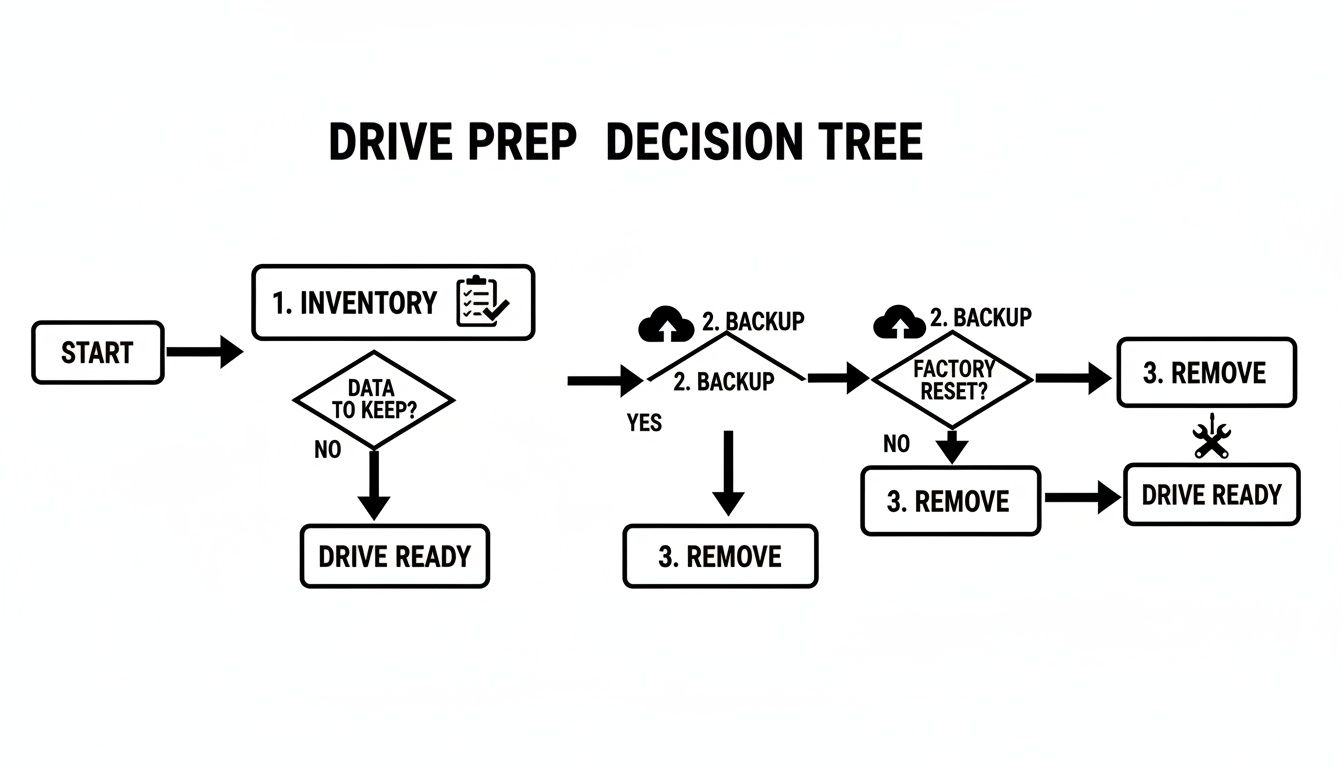
As you can see, a secure process always starts with knowing what you have, saving what you need, and then isolating the hardware for its final treatment.
Software Wiping: The Reusable Option
Software wiping, often called data erasure, is your go-to if the drive itself needs to live on. It uses specialised software to methodically overwrite every single part of the drive with random, meaningless data.
Don’t confuse this with a simple "format" you might do on your PC. A proper wipe is a deep, forensic-level process that writes new data—often just patterns of zeros and ones—over every trace of the old information, sometimes multiple times.
This is the only method that leaves the hard drive physically intact and working. It’s the perfect choice if you want to:
- Donate old computers to a school or charity.
- Sell used IT equipment and get some money back.
- Repurpose older drives inside your own organisation for non-critical roles.
The big win here is sustainability. You extend the life of the hardware, which is great for your budget and the planet. But you have to be careful. You must use professional-grade software that meets recognised standards, like the NIST 800-88 guidelines. A free tool you find online might not be thorough enough to stop a determined data recovery expert.
A Quick Word on Drive Types
It’s also vital to understand that wiping an old-school Hard Disk Drive (HDD) is different from wiping a modern Solid-State Drive (SSD).
HDDs store data magnetically on spinning platters, so overwriting that data in a sequence is fairly straightforward. SSDs, however, are far more complex. They use clever "wear-levelling" algorithms that spread data around countless memory chips to prolong the drive’s life. A standard wipe could easily miss hidden or reserved areas, leaving fragments of data behind.
For SSDs, you need software specifically built to handle them. These tools issue a special "Secure Erase" command directly to the drive’s own controller, forcing it to reset every single memory cell. It's the only way to be sure.
Degaussing: For Magnetic Media Only
If you don't need to reuse the drive and want a higher level of security, degaussing is an incredibly effective method for magnetic media. A degausser is a beast of a machine that creates an immensely powerful magnetic field.
When you pass an HDD or an old backup tape through this field, the magnetic coating where your data lives is instantly and permanently scrambled into a neutral state. The data is gone in a flash, and the drive is rendered completely useless. You can’t plug it in, you can’t format it—it’s a paperweight. This makes it a fantastic option for businesses getting rid of large numbers of HDDs under strict security policies.
Think of degaussing as taking a giant industrial magnet to an old cassette tape. The result is total, irreversible erasure. It offers absolute peace of mind that the magnetic data is gone forever.
But here’s the critical takeaway: degaussing does absolutely nothing to SSDs. Because SSDs use flash memory (which isn't magnetic), they are completely immune. Trying to degauss an SSD is a complete waste of time and gives you a false sense of security.
Physical Destruction: The Ultimate Guarantee
When you need 100% certainty and undeniable proof that the data is gone, nothing beats physical destruction. This is the final answer, turning your drive into a pile of mangled metal and plastic.
This approach is often a legal requirement for government bodies, healthcare providers, and financial firms. It’s also the best way to deal with faulty drives that can no longer be powered on to be wiped or degaussed properly.
There are a couple of ways to do it:
- Shredding: The drive is fed into an industrial shredder that chews it up into tiny pieces. The final shred size can be adjusted for different security levels, with high-security shredders reducing a drive to fragments only a few millimetres wide.
- Crushing/Punching: A hydraulic press forces a steel punch straight through the drive, shattering the platters in an HDD or breaking the memory chips in an SSD. It’s effective, but generally seen as less secure than shredding, as you might be left with larger, potentially recoverable fragments.
The main benefit is that it’s final and easy to verify. You can literally see that the drive is destroyed. It also works on any kind of drive, from HDDs and SSDs to USB sticks. The obvious downside is the e-waste, which is why it’s so important to use a certified disposal partner who will responsibly recycle the leftover materials.
Comparison of Hard Drive Destruction Methods
Choosing the right method can feel complex, so here’s a straightforward table to help you compare the main options at a glance.
| Method | How It Works | Best For | Pros | Cons |
|---|---|---|---|---|
| Software Wiping | Uses specialised software to overwrite all data on the drive with random characters, often in multiple passes. | Reusing, donating, or reselling hardware. Low-to-medium security needs. | Allows drive reuse; cost-effective; environmentally friendly. | Slower process; requires working hardware; must use correct software for SSDs. |
| Degaussing | Exposes the drive to a powerful magnetic field, which scrambles the magnetic data storage layer. | High-security disposal of large volumes of HDDs and magnetic tapes where reuse is not needed. | Extremely fast and highly effective for magnetic media; permanent erasure. | Renders the drive unusable; completely ineffective on SSDs; requires specialised, costly equipment. |
| Physical Destruction | The drive is physically shredded, crushed, or punched until the storage media is completely destroyed. | Ultimate security needs; disposal of faulty drives; mandatory for many regulated industries (legal, finance). | The most secure method; provides visual proof; effective on all drive types (HDD, SSD). | Destroys the drive completely; creates e-waste; requires professional service/machinery. |
Ultimately, this table shows there's a clear trade-off between security, cost, and the potential for reusing the hardware.
So, How Do You Decide?
Think about your real-world situation. If you're a home user getting rid of an old family PC, using a reputable wiping tool is probably more than enough to prepare it for donation. A small business upgrading its office computers could use software wiping to resell the old machines and recover some of that investment.
But if you’re a law firm decommissioning a server full of confidential client files, the only sensible choice is physical shredding. You simply cannot afford to take any risks. The right choice is always a balance of risk, cost, and what you plan to do with the hardware next. For any business bound by GDPR, erring on the side of caution with a more final method like shredding is almost always the wisest move.
Meeting Your Legal and Environmental Duties in the UK
Getting rid of old hard drives properly isn't just about stopping data from falling into the wrong hands. Here in the UK, it’s a serious matter of legal compliance and environmental responsibility. If you get it wrong, you’re not just risking a data breach – you could face hefty fines and cause real harm to the planet.
For any business, big or small, getting to grips with these obligations is non-negotiable. The law puts the responsibility for protecting personal information squarely on your shoulders, from the moment you collect it to the moment you destroy it for good.
Navigating UK GDPR and Data Protection
The second you save a customer's name, an employee's bank details, or even a client's email address, you're a data controller. This isn't just a title; it comes with significant legal weight under the UK General Data Protection Regulation (UK GDPR) and the Data Protection Act 2018. A central rule here is ‘storage limitation’, which is a formal way of saying you can’t hang onto personal data for longer than you absolutely need to.
When a hard drive is ready for retirement, that rule comes into play with a vengeance. You are legally required to make sure the data on it is gone forever. Simply stashing the drive in a cupboard or, even worse, tossing it in a skip, is a clear breach of the law. In the UK, improper disposal isn't just a messy habit; it's a major financial and data-protection risk.
The Information Commissioner’s Office (ICO) can issue crippling fines for serious failures – up to £17.5 million or 4% of your global annual turnover, whichever is higher. To stay compliant, you need to understand the full scope of your duties surrounding hard disk drive destruction. It means your disposal process has to be secure, provable, and final. It's not good enough to assume the data is gone; you must be able to prove it.
Your Environmental Responsibilities Under WEEE
Beyond the data, there are crucial environmental laws to follow. Hard drives fall under the category of Waste Electrical and Electronic Equipment (WEEE), and you absolutely cannot send them to landfill.
The UK’s WEEE Regulations 2013 make it your duty to ensure electronic waste is handled in an environmentally safe way. Think of a hard drive as a cocktail of different materials – some valuable, some downright nasty.
- Hazardous Materials: They contain things like lead, mercury, and cadmium. If these end up in a landfill, they can leak into the soil and water, causing long-term pollution.
- Valuable Resources: They also hold precious metals like gold, silver, and copper. Recycling these materials means less need for destructive mining operations.
Ignoring WEEE regulations is a criminal offence. It highlights that you have two jobs here: protect the data on the drive, and protect the environment from the physical drive itself.
Responsible disposal means working with an Authorised Treatment Facility (ATF). These specialists can safely dismantle the device, pull out the recyclable materials, and deal with the hazardous bits correctly. This is a separate but equally vital part of the process. It's a similar duty to disposing of other large items; our guide on how to dispose of unwanted furniture explains why using licensed carriers is so important, and that principle holds true for e-waste.
The Importance of a Certificate of Destruction
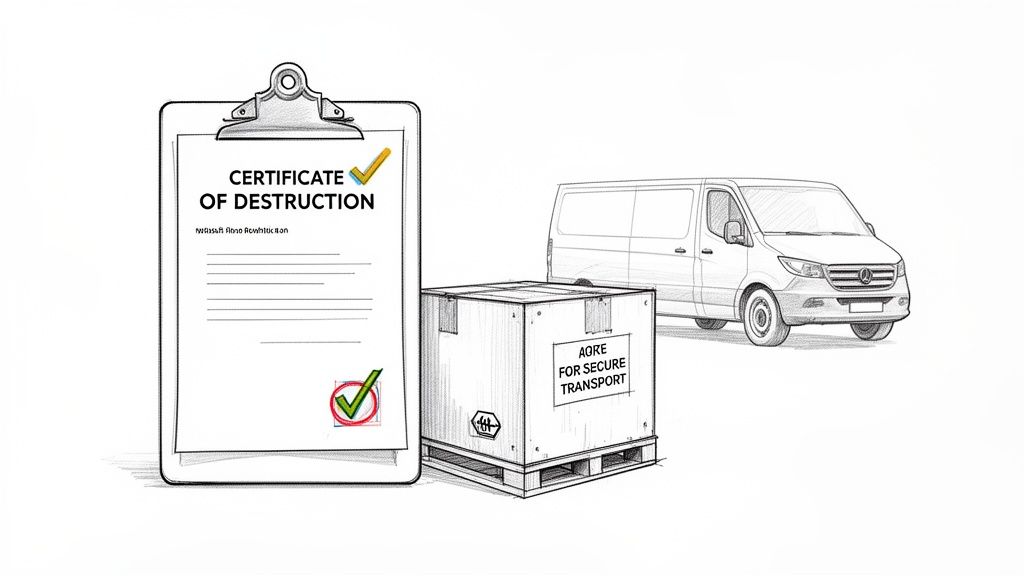
So, how do you prove you’ve done everything by the book? It all comes down to the paperwork. Any reputable IT Asset Disposition (ITAD) partner will issue a Certificate of Destruction (CoD) for every single drive they handle for you.
This document is your legal shield. It’s official proof that your data has been permanently destroyed using recognised industry standards and that the leftover materials were recycled according to WEEE regulations.
A proper CoD must include key details:
- The unique serial number of each hard drive
- The destruction method used (e.g., shredding, degaussing)
- The date and location of destruction
- A transfer of liability statement, showing the disposal firm has taken legal responsibility
Without this certificate, you have no auditable trail to show you met your obligations. If the ICO or the Environment Agency ever comes knocking, that piece of paper is your most crucial line of defence. It provides a clean, documented end to the hard drive’s life, giving you and your business total peace of mind.
How to Verify Destruction and Find a Professional Service
So, you’ve wiped, degaussed, or even shredded your old hard drives. But how do you know for certain the data is gone for good? This is where verification comes in, and it's arguably the most critical step of all. Without it, you're just taking someone's word for it – and that’s a risky bet when facing UK GDPR regulations and the constant threat of a data breach.
This final stage is all about getting the right paperwork. It’s the formal, auditable proof that closes the loop on your data security responsibilities.
The Power of a Certificate of Destruction
For any business, a Certificate of Destruction (CoD) isn't a "nice-to-have"; it's an absolute necessity. Think of it as your legal shield. This single document proves your data was destroyed permanently and in line with industry standards. If the Information Commissioner's Office (ICO) ever comes knocking, this certificate is your first and best line of defence.
A proper, legitimate CoD will always contain specific details:
- Unique serial numbers for every single hard drive that was destroyed.
- The exact destruction method used (e.g., shredding to a 6mm particle size).
- The date and location of the destruction.
- A clear transfer of liability statement from the disposal company to you.
Without this level of detail, the certificate is little more than a receipt. With it, you have a legally robust piece of evidence that proves you did your due diligence.
Finding a Trustworthy Disposal Partner
Choosing the right professional service is the most important decision you'll make in this entire process. You aren't just paying someone to haul away old tech; you're entrusting them with your company's most sensitive information. A reputable partner will be an open book, transparent about their processes, certifications, and security from your very first conversation.
When you're vetting potential companies, don't be shy about asking tough questions. A truly professional outfit will welcome the scrutiny and have the answers ready.
A vendor's willingness to provide clear, detailed answers about their chain of custody and certifications is a direct reflection of their professionalism. If they're vague or dismissive, that's a major red flag.
Key Questions to Ask a Disposal Vendor
Before you agree to anything, have a checklist on hand. Here are the non-negotiables you need to confirm to ensure you’re dealing with a top-tier provider:
-
What certifications do you hold? You're looking for accreditations like ADISA (Asset Disposal and Information Security Alliance) or ISO 27001 for information security. These aren't just logos; they represent rigorous, third-party audits.
-
Can you walk me through your chain of custody? They should be able to describe every single step, from secure collection in locked containers and GPS-tracked transport to destruction inside a monitored, secure facility.
-
What happens to the leftover materials? Disposing of hard drives in the UK is a two-part challenge: data security and environmental compliance. The UK WEEE Regulations 2013 dictate how electronic waste must be recycled, and non-compliance can result in fines of up to £5,000 per offence. Your vendor must be a licensed waste carrier.
-
Will I get asset tracking and a Certificate of Destruction? Make sure they confirm you'll receive a detailed report listing every serial number. This is vital for your audit trail.
When you realise how easily experts can recover data with reliable data recovery services, it really drives home the importance of choosing a partner who guarantees total destruction.
Streamlining Disposal During an Office Move
An office relocation is the perfect time to audit your IT assets and securely get rid of anything that's outdated. But trying to juggle movers and a separate IT disposal company can quickly become a logistical headache. This is where an integrated service provider can be a game-changer.
A company like SimplyPro Removal & Storage can build secure IT disposal right into your office move. The process is seamless. Our teams can handle the secure packing and transport of all equipment you've marked for destruction. These items are kept separate and moved under a strict chain of custody to a certified facility, simplifying your to-do list while maximising security. It's an approach that bundles multiple needs into one efficient service, much like our comprehensive house clearance and rubbish removal services in Bristol.
Answering Your Hard Drive Disposal Questions
Even with a solid plan, you'll inevitably run into those tricky "what about this?" moments. You might find yourself staring at an old office printer wondering what’s inside, or questioning if smashing a hard drive in the car park is really good enough.
Let’s tackle some of the most common questions we hear from clients. Getting these details right is just as important as the main plan, because one forgotten device can easily create a security risk you thought you'd avoided.
Does the Hard Drive in My Old Office Printer Need Destroying?
Yes, absolutely. This is probably the single most overlooked piece of equipment when it comes to data security.
Modern office printers, scanners, and all-in-one copiers are not just simple machines; they're specialised computers. Nearly all of them have an internal hard drive that keeps a copy of every single document that passes through it—every scan, every copy, every print job.
Just think about what that could include:
- Confidential client financial records.
- Sensitive employee contracts and HR files.
- Scanned copies of passports and driving licences.
Getting rid of an old printer without destroying the drive first is a huge security hole. Before any office machine leaves your premises, check the specs. If there’s a hard drive inside, it needs the same secure destruction process as any server or laptop.
Is Drilling Holes in a Hard Drive Secure Enough?
This is a classic DIY method, but honestly, it’s a bit of a gamble and completely useless for modern Solid-State Drives (SSDs).
With a traditional spinning hard drive (an HDD), the idea is to physically shatter the magnetic platters that hold the data. Drilling a few holes might make recovery difficult, but it's far from impossible. A determined data recovery specialist can often retrieve information from the parts of the platters you missed.
It gets worse with SSDs. Their data is stored on tiny memory chips spread across a circuit board. You could drill half a dozen holes and completely miss the chips, leaving vast amounts of data perfectly readable.
A hammer or a drill might feel satisfying, but they create a false sense of security. For anything that needs to be genuinely secure and compliant, you need a professional, verifiable method.
What Is a Chain of Custody and Why Does It Matter?
A chain of custody is essentially the life story of your hard drive, documented from the second it leaves your hands to the moment it's turned into dust. It’s not just business jargon; it’s a non-negotiable part of secure disposal, especially under regulations like UK GDPR.
This document trail proves, step-by-step, that you acted responsibly. A proper chain of custody will show:
- Who collected your drives and at what time.
- How they were transported (e.g., in a locked container inside a GPS-tracked van).
- Who signed for them at the secure facility.
- The exact date, time, and method of destruction.
When you're vetting a disposal company, ask them to walk you through their chain of custody process. Their answer will tell you a lot about their professionalism and how seriously they take security.
How Can Secure Disposal Be Part of an Office Move?
Tackling hard drive disposal during an office move is a brilliant way to be efficient and secure. Instead of trying to juggle a removals company and a separate IT disposal firm, you can get one specialist provider to handle both at the same time.
It simplifies everything. As the team packs up your office, they can identify and catalogue all the old tech you're decommissioning. These items are then kept separate from everything else you're taking with you and transported directly to a secure destruction facility, all under a single, unbroken chain of custody.
This combined approach closes any security gaps where a device might get lost or mishandled. It turns what could be a logistical headache into one smooth, secure, and fully documented process.
Are you planning an office move or just need to dispose of old IT equipment securely? SimplyPro Removal & Storage Ltd integrates certified data destruction into our professional removals services, providing a seamless, secure, and compliant solution. Contact us today for a straightforward quote at https://www.simplyremovalsbristol.co.uk.