


Key Takeaways
- Plan around trading, not around boxes: list the things your business can’t do without for even a morning (phones, card payments, the server, the stockroom) and build the move timetable around keeping those running.
- Move outside your busiest hours: an evening, weekend or phased move can mean your team finishes on Friday in the old office and starts on Monday in the new one. Weekend moves are subject to availability, so book early.
- Get the new site ready first: broadband, phone lines, power, keys and furniture layout should be sorted before a single crate leaves the old office.
- Label by destination: every crate and piece of kit should be marked with the room and desk it’s going to, so it lands in the right place first time.
- Don’t forget the admin: tell Bristol City Council about business rates when you move in and out, update your registered office with Companies House if it’s changing, and deal with old paper records properly.
For most Bristol businesses, the hardest part of an office move isn’t carrying the desks. It’s the day or two when nobody can find the printer, the phones go to an old number, the server is in a crate and customers can’t get hold of you. That lost time rarely shows up on a quote, but it’s often the biggest cost of the whole move. The good news is that most of it can be planned out.
This guide is about one thing: moving your office without losing a day’s trade. It isn’t another general office relocation checklist. Instead it looks at how to choose the right time to move, how to keep IT and phones running, how to pack so desks work on the first morning, how to get vans in and out of Bristol streets, and the admin that keeps customers and suppliers finding you. We’ve been moving homes and businesses around Bristol for more than 22 years, and the moves that go smoothly are nearly always the ones where downtime was planned for from the start.
Why Downtime Is the Real Cost of an Office Move
When businesses compare quotes for an office move, they tend to compare the price of the vans and the crew. That matters, but it’s only part of the picture. If your team of ten can’t work properly for a day, or your shop counter is closed on a Saturday, that cost can easily be bigger than the removal itself. Planning for downtime means thinking about what happens to your business, not just your furniture.
Where lost time comes from
Downtime on an office move usually comes from a handful of places. Broadband or phone lines aren’t live at the new site. Computers are packed without anyone noting which cable goes where. Crates end up in the wrong room and staff spend the morning hunting for them. Desks arrive in pieces and there’s nobody to put them back together. Keys or access fobs for the new building aren’t ready. None of these are big problems on their own, but together they can wipe out the first day or two in a new office.
The hidden costs
Some costs are obvious, like staff being paid while they can’t work. Others are easier to miss: a missed delivery because a supplier still has your old address, a customer who rings and gets no answer, an online order that isn’t dispatched on time, or an appointment that has to be rearranged. For a small business, one bad week can undo a lot of goodwill. That’s why it’s worth spending time on the plan before you spend money on the move.
Small offices feel it most
A large company may have a facilities team and spare capacity. A five-person firm in Clifton or a studio in Stokes Croft usually doesn’t. If the one person who knows how the network is set up is also packing the kitchen, things get missed. Smaller businesses often benefit most from handing the physical move to a removal team, so their own staff can concentrate on keeping customers happy.
Work Out What “Keeping Trading” Means for Your Business
Before you pick a date or book a van, sit down and work out what your business genuinely can’t do without. This is different for every firm. An accountancy practice might be fine without its meeting room for a week but can’t lose access to client files. A trade counter in St Philips might be able to manage without the back office but needs its stockroom and card machine on day one.
List your critical functions
Make a short list of the things that have to work for you to trade. For most offices it looks something like this:
- Phones and the main business number
- Internet access and email
- Any on-site server, network storage or specialist equipment
- Card payment terminals and tills, if you take payments in person
- Printers and scanners, if your work depends on them
- Stock, samples or tools that staff need to do their jobs
- Files and records that staff need to look at during the working day
Everything else, from the spare chairs to the archive boxes from years ago, can usually wait. Knowing the difference is what lets you plan a move that protects your trading.
Decide who owns each part
Give each critical item an owner inside your business. One person looks after the phones and broadband, another looks after the server and computers, another looks after keys and building access. It sounds formal, but it stops the common situation where everyone assumes somebody else has rung the broadband provider. If you want a fuller project plan, our guide to office relocation project management goes into roles and timelines in more detail.
Tell your customers early
If there’s any chance of reduced service, tell customers in advance. A short email, a note on your website and a message on your voicemail are usually enough. Most people are understanding if they know what’s happening. What frustrates them is turning up at an empty office or ringing a number that doesn’t answer.
Tip: Ask each member of staff to write down the three things they need to do their job on day one. You’ll often find something that wasn’t on anyone’s list, like a label printer, a particular laptop charger or a key to a filing cabinet.
Choosing When to Move: Evenings, Weekends and Phased Moves
The single biggest decision for keeping downtime low is when you move. Moving in the middle of a working Tuesday is nearly always the most disruptive option. Most businesses can do better than that with a little planning.
Weekend moves
Moving over a weekend is the classic way to avoid losing working days. Staff pack their own desks on Friday afternoon, the removal team moves everything on Saturday, and the new office is set up by Monday morning. We do carry out office moves at weekends, subject to availability, so it’s worth booking as soon as you know your lease dates.
Evening and early starts
For very small offices, an early morning or evening move can work just as well. A two or three-person office with a handful of desks may fit into a single long-wheelbase van and be moved in a few hours. If your new premises are close by, for example moving from one floor of a building in Temple Quarter to another building nearby, this can be a simple way to keep disruption to a minimum.
Phased moves
Larger offices, or businesses that can’t stop at all, often move in phases. Non-essential items such as archive boxes, spare furniture and meeting room kit go first, a week or so ahead. The working desks and IT follow on the main moving day. Anything left over, like surplus furniture you haven’t decided what to do with, can go into storage while you settle in. A phased move takes a little more coordination but means the main moving day is shorter and less stressful.

Moving in stages with storage
Sometimes the dates simply don’t line up. Your old lease ends before the new office is ready, or the fit-out over-runs. Short-term storage can bridge that gap without forcing you to rush. Our secure storage in Bristol is monitored by 24/7 CCTV and offers short and long-term options, which suits surplus furniture, stock and archive boxes. You can keep your working kit with you and bring the rest across when there’s room.
The table below shows how a typical move for a small to medium office might be planned so that trading carries on. Adjust the timings to suit your own business and lease dates.
| When | What to do | Why it protects trading |
|---|---|---|
| As soon as the new lease is agreed | Contact your broadband and phone providers about the new address and ask for their lead times | Lines that aren’t live are one of the most common causes of lost days |
| 6–8 weeks before | Book your removal date, ideally a weekend or evening; get a video survey done | Weekend dates go quickly, and a survey means the right vehicles and crew are booked |
| 4–6 weeks before | Agree a floor plan for the new office and number every desk | Everything can be labelled for its final position |
| 3–4 weeks before | Clear out old files, kit and furniture you won’t take; arrange storage for anything you’re keeping but don’t need yet | Less to pack, less to move, less to unpack |
| 1–2 weeks before | Move non-essential items first; confirm parking and building access at both ends | Shortens the main moving day |
| Last working day | Staff pack personal items and desk drawers; IT is shut down and labelled | Nothing working is unplugged until the last possible moment |
| Moving day | Crates, furniture and IT moved; desks reassembled and put in their numbered positions | The new office is ready before staff arrive |
| First morning | IT and phones checked desk by desk; a short snagging list made | Problems are found and fixed before customers notice |
Keeping IT, Phones and Data Running
For most modern offices, IT is the heart of the business. If the computers, phones and internet work on the first morning, almost everything else can be sorted out as you go. If they don’t, the whole team is stuck.
Start with the connection
The most important call you’ll make is to your broadband and phone provider. Ask them as soon as you know the new address what they need from you and how long it will take to get a working connection there. Lead times vary depending on the building and the type of connection, so don’t assume it can be done in a few days. If there’s any doubt, ask about temporary options such as mobile broadband or diverting your main number to mobiles until the line is live.
Back up before anything moves
Before any computer, server or network storage device is switched off, make sure there’s a recent, tested backup. Moving equipment is generally safe when it’s packed properly, but a backup means a damaged drive is an inconvenience rather than a disaster. If you use cloud services, check that everyone can log in from a different location before the move, so that remote working is a real fallback if something goes wrong.
Disconnect, label and pack properly
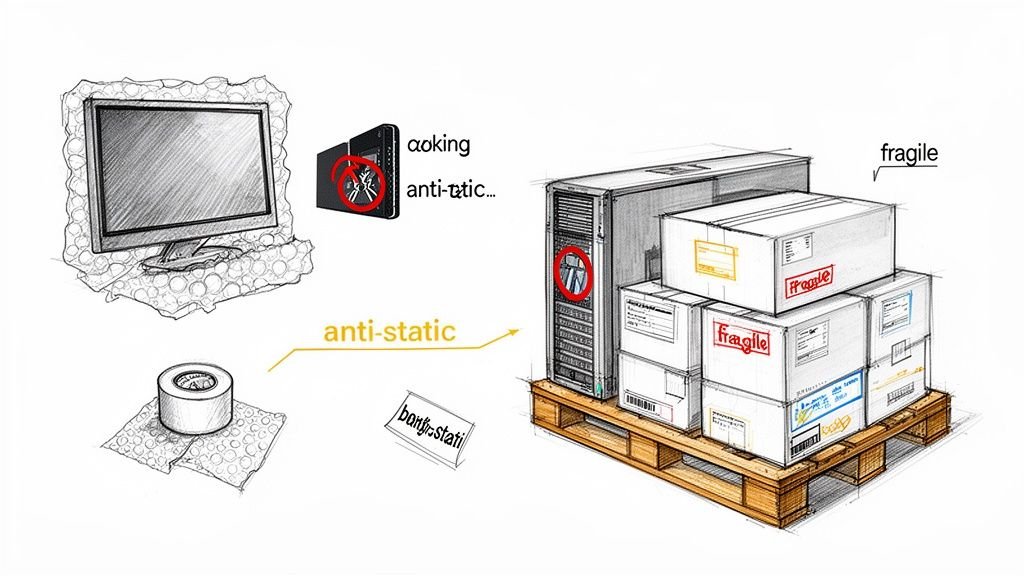
Take photos of the back of each computer and the server cabinet before anything is unplugged. Label every cable and put cables and small accessories in a clear bag taped to the device they belong to. Monitors should be packed upright and protected, and towers kept upright too. Our team includes qualified IT specialists who can handle the dismantling and setup of technology, so computers, monitors and other devices are disconnected, packed and moved with the care they need.
Phones and the main number
Your phone number is often how customers find you, so protect it. If you’re keeping your number, check with your provider how and when it will be moved. Set up a diversion to a mobile for moving day in case there’s a gap. Update your voicemail greeting to mention the move and give an alternative contact if needed.
Good to know: If your server or network cabinet needs to be the last thing switched off and the first thing switched on, mention it when you book. Loading it last means it comes off the van first, so it can be back up and running while the rest of the office is still being set out.
Packing and Labelling So Desks Work on Day One
A well-packed office is one where every crate arrives at the right desk and staff can sit down and start working. A badly packed one means people spending Monday morning opening boxes to find their stapler. The difference is mostly in the labelling.
Number every desk
Use the floor plan of the new office to give every desk, room and cupboard a number or name. Then label every crate, chair, monitor and pedestal with the same reference. Put a matching sign on each desk position in the new office before moving day. That way the removal team can put things straight into position without needing to ask anyone.
Let staff pack their own desks
Ask each person to pack their own desk drawers and personal items on the last afternoon. They know what they need and it means nothing important gets lost. Give them clear instructions: one or two crates each, label on the end and the top, nothing heavy in the top drawer of a pedestal, and anything urgent in a separate “first day” box.
Keep the lifting sensible. The HSE’s guidance on manual handling at work says employers must avoid hazardous manual handling so far as reasonably practicable, assess the risk where it can’t be avoided and reduce it as far as reasonably practicable. In practice that means staff pack the light things and leave the filing cabinets, printers and heavy furniture to the removal crew.
Use the right materials
Strong crates or double-walled boxes, packing paper, bubble wrap and tape make a big difference. Overfilled or flimsy boxes split, and badly wrapped monitors get scratched. You can order boxes and packing supplies from our removal packaging shop so you have them in good time. If you’d rather not pack at all, our specialised packers can do it for you using quality materials.
Furniture: take apart, put back together
Most office desks, workstations and shelving units need to be taken apart to move safely. Keep the fixings for each item together in a labelled bag. We dismantle and reassemble desks, workstations, shelving and storage units as part of an office move. If you’re buying new furniture for the new space, our furniture fitting service in Bristol can assemble and install it, ideally before your team arrives, so the office is ready to use.
Getting Vans to the Door in Bristol
On moving day, time spent looking for somewhere to park is time not spent moving. Bristol has plenty of narrow streets, controlled parking zones and busy city centre roads, so it pays to think about access at both the old and new office well before the day.
Check access at both ends
For each building, find out where a van can stop, how far it is to the entrance, whether there’s a lift and how big it is, whether there’s a goods entrance or loading bay, and whether the building has set times for moves. Office buildings in the centre of Bristol often have a building manager who will want to know your moving date and may ask for a risk assessment or proof of insurance. Ask early, so you’re not sorting it out the week before.
Suspending a parking bay
Where there’s no off-street loading, you may need to suspend a parking bay. Bristol City Council’s parking bay suspension page says it costs £38 per day to suspend a designated bay for one vehicle up to 5 metres long, that off-street bay suspensions are charged additional VAT, and that you must allow 3 working days for an application to be processed. The council also says it won’t contact you to confirm approval; it will only get in touch if it needs more information. Bigger vehicles take up more than one bay, so check how many bays you’ll need. Our guide to removal van parking in Bristol covers this in more detail.
Picking the right vehicles
We own and run our own fleet. Our 7.5 tonne lorries and Luton vans suit larger office and commercial moves, and our long-wheelbase vans suit smaller office moves and buildings where a big vehicle can’t get close. On some jobs, a lorry for the bulk of the move and a smaller van that can get closer to the door is the quickest combination. Every vehicle carries blankets, straps and sack trucks to protect your furniture and equipment.
Business parks and out-of-town offices
Moves to and from business parks around the edge of the city, such as Aztec West, Emersons Green or Avonmouth, are often easier for parking but can involve longer carries across car parks and different access rules for each unit. Check with the landlord or site management whether there’s a goods entrance and whether vans need to be booked in at reception.

The Admin That Keeps Customers and Suppliers Finding You
A smooth move isn’t just about getting the desks across town. If your official addresses aren’t updated, post goes astray, bills go to the wrong place and customers or suppliers may struggle to find you. Some of these updates have rules attached, so it’s worth getting them right.
Business rates
If you’re moving into or out of a business property in the city, Bristol City Council asks you to tell it you’re moving in or out. For moving out, it asks for your landlord or agent’s details and any joint tenant details if you’ve been a tenant, your solicitor’s details if you’re selling, and your moving out date. For moving in, it also asks for bank details if you want to pay by direct debit. The council suggests checking that your property is actually in the Bristol City Council area first. That’s worth doing: some business parks on the edge of Bristol, such as Aztec West, are in South Gloucestershire, so your rates may be handled by a different council.
Companies House and your registered office
If you’re a limited company and your registered office address is changing, you need to tell Companies House. The GOV.UK guide to telling Companies House about changes says your address will not officially change until Companies House has registered it, and that you may also need to tell HMRC. Not every office move changes the registered office, as some companies use an accountant’s address, so check before you file.
Old paper records and data
An office move is often the first time in years that anyone looks at the back of the filing cabinets. Before you move boxes of old files, decide what you actually need. The ICO’s guidance on the storage limitation principle says you must not keep personal data for longer than you need it, that you should have a policy setting standard retention periods where possible, and that you should erase or anonymise personal data when you no longer need it. If records do need to be kept but not in the new office, secure storage may be an option. Anything you no longer need should be disposed of securely, not left in a skip or a bin bag.
Everyone else who has your address
Make a list of everyone who sends you post, deliveries or invoices: your bank, insurer, accountant, suppliers, couriers and customers. Update your website, email signatures, Google listing and printed stationery. If you have signs or a nameplate at the old building, arrange for them to come down once you’ve gone.
Tip: Set up a mail redirection or ask the building manager at the old office to hold post for a few weeks after you leave. There’s always one supplier who didn’t update their records.
The First Morning in the New Office
If the plan has worked, your staff should walk into an office where their desk is built, their crates are waiting and their computer is on the desk ready to plug in. The first morning is about checking everything works and fixing small problems before they become big ones.
Check desk by desk
Have someone, ideally whoever owns IT, go round every desk first thing. Can each person log in, get online, print and make a call? Keep a simple list of anything that isn’t working and deal with it in order of importance. A missing cable at one desk is a small job. No internet across the office is not, and you want to know about it at 8am rather than 11am.
Keep the snagging list short
There will always be a few things to sort out: a shelf that needs moving, a chair that went to the wrong room, a box that nobody can place. Collect them in one list rather than letting everyone chase their own. Many of these can be dealt with in the first week without affecting trading at all.
Clear the old office properly
Most leases require you to leave the old premises in a certain condition. Leave time to collect anything left behind, take meter readings, return keys and fobs, and check nothing has been forgotten in cupboards or storerooms. If you’ve got furniture or kit you no longer need, plan how you’ll deal with it rather than leaving it until the last day of the lease.
Frequently Asked Questions
How can we move our office without closing for a day?
Move outside working hours, usually over a weekend or in an evening, and get the new office ready before you go. Make sure broadband and phones are live at the new site, label everything by desk number and have furniture reassembled before staff arrive. Weekend moves are subject to availability, so book as early as you can.
Can you move our office at the weekend?
Yes, we do carry out office moves at weekends, subject to availability. Get in touch as soon as you know your lease dates so you have the best chance of getting the weekend you want.
Do you move IT equipment?
Yes. Our team includes qualified IT specialists who can handle the dismantling and setup of technology, so computers, monitors and other devices are disconnected, packed and moved carefully. You should still back up your data before the move and make sure your broadband and phone lines are arranged at the new address.
Do we need to suspend a parking bay for an office move in Bristol?
Only if there’s nowhere else for the van to stop legally. Bristol City Council says a bay suspension costs £38 per day for one vehicle up to 5 metres long, with VAT added for off-street bays, and you must allow 3 working days for the application. Bigger vehicles may need more than one bay.
Who do we need to tell about business rates when we move?
Tell the council for the area you’re leaving and the council for the area you’re moving to. Bristol City Council has an online form for moving in and moving out of a business property. Check which council covers your new premises first, as some business parks near Bristol fall under South Gloucestershire.
What should we do with old files before an office move?
Decide what you actually need to keep. The ICO says you shouldn’t keep personal data longer than you need it and should erase or anonymise it when it’s no longer needed. Keep what you must, put records you rarely use into secure storage if they need to be kept, and dispose of the rest securely.
Can you store office furniture or archive boxes during the move?
Yes. Our secure storage in Bristol offers short and long-term options and is monitored by 24/7 CCTV. It’s useful for surplus furniture, stock and archive boxes, or for bridging a gap between leases.
How do we get a quote for an office move?
A video survey is the quickest way to get started. Film each room, including storerooms, server cupboards and the route to the van, and send it to us on WhatsApp through our video quote page. Tell us both addresses, any lift or parking restrictions and your preferred dates.
Get a Clear Quote for Your Office Move
An office move that doesn’t cost you a day’s trade comes down to a few things: knowing what your business can’t do without, moving at the right time, getting the new office ready first, labelling everything for its final position and keeping on top of the admin. If you’d like more detail on what’s included, have a look at our office removals Bristol page.
Simply Removals Bristol has more than 22 years’ experience moving homes and businesses across Bristol and the surrounding area. We’re fully insured, we run our own 7.5 tonne lorries, Luton vans and long-wheelbase vans, and we dismantle and reassemble office furniture as part of the move. Send us a video quote request with your dates and both addresses, and we’ll help you plan a move that keeps your business running.